
Live Webinar · Real-Time Load Balancing, WAF & Cybersecurity · May 14 · 10:00 AM CET | 2:30 PM IST

Live Webinar · Load Balancing & WAF · May 14

Join now

LSLB | SSL Certificates | Upload

How to upload an SSL Certificate on SKUDONET ADC
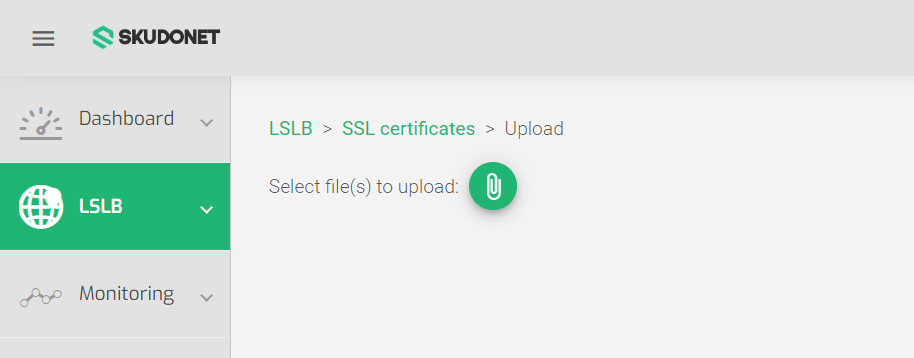
Upload an SSL Certificate on SKUDONET ADC
To upload an SSL certificate to the load balancer:

  1. Go to the LSLB > SSL Certificates section, and click the Upload Certificate button.
  2. A page with a paper clip will open prompting you to upload the SSL Certificate. Click the Green Paper Clip Icon
  3. Locate and select the PEM certificate file on your local machine.
  4. The certificate will automatically upload and be added to the list of certificates.

Important Notice!
The certificate must be in PEM format.

Next Article: LSLB | SSL Certificates | Generate CSR

Related Articles

Need Support?

Can't find the answer you're looking for?
Contact Support

Download Skudonet ADC Load Balancer
Community Edition

Source Code

A versatile and installable ADC system designed for diverse vendor hardware.

DOWNLOAD SOURCE

Installable ISO 

Load Balancing as a Service alongside an ADC orchestration toolkit.

DOWNLOAD ISO